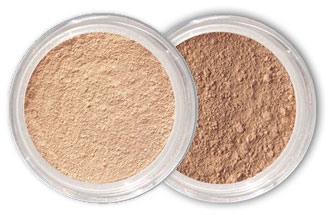
100% All Natural Mineral Makeup
- LONGEST LASTING
- BETTER COVERAGE
- FEWEST INGREDIENTS

A: Once you've set up your online account, you can login to access the online members home page. Make sure you login with the e-mail address you used to set up your account, otherwise we will not be able to recognize you.
A: The logout feature is provided to you as a security measure. To log out, click "log out" at the top of the page.
A: Your login/account name is your e-mail address.
A: If you have forgotten your password, click on "I forgot my password" in the log in screen. Enter the e-mail address you used to register for your Online Account, and a temporary password will be e-mailed to you within two hours. If you no longer have access to the e-mail address last registered on your account, you will be unable to retrieve your password online. Please call us at (866) 628-1038.
A: To access your personal information, click on "My Account" on the top of the page.
A: Review your current and past online shipments and orders. You can easily reorder
A: View or edit your name, e-mail address, or password. Simply enter any new information and click "Update."
Share why you love Mineral Hygienics!
We'll give you a free coupon code!
| Tweet | Follow@mhygienics |
Mineral Hygienics |
Thanks for Sharing! Keep it up!
Free Shipping Code: a1s2d3f4
Copy this code and use it during checkout.